



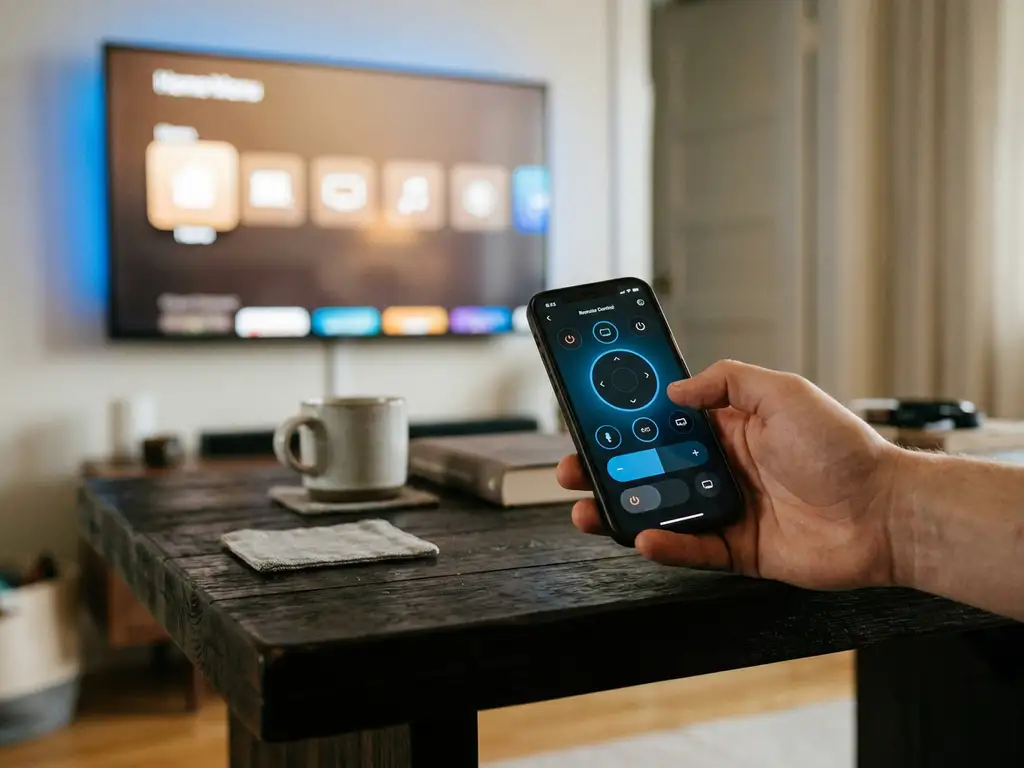
The best universal TV remote app in 2026 depends on your TV brand and what you need it to do, but the top options share one thing in common: they let you control your TV, adjust the volume, switch inputs, and navigate menus directly from your phone, with no extra hardware required. If you want a single app that covers multiple TV brands and streaming devices, look for one that connects over Wi-Fi and supports your specific model. Below, we answer the most common questions people ask before choosing a universal TV remote app.
What can a universal TV remote app actually control?
A universal TV remote app can control most of the same functions as your physical remote, including volume, channel switching, input selection, playback controls, and power. Many apps also add features your standard remote does not have, such as a touchpad, a full keyboard for search, and voice input.
Depending on the app and your TV brand, you can typically control:
- Basic playback: Play, pause, fast forward, rewind
- Volume and mute: Adjust sound without touching the TV
- Input and source selection: Switch between HDMI, streaming apps, and broadcast
- Navigation: Browse menus using a touchpad or directional buttons
- Text entry: Type search queries using your phone keyboard instead of scrolling through on-screen letters
- Power: Turn your TV on or off
Some apps also let you control streaming devices like Roku or Amazon Fire TV alongside your smart TV, which means you can manage your entire entertainment setup from one place.
How does a universal TV remote app work?
A universal TV remote app works by connecting your phone and your TV to the same Wi-Fi network. Once connected, the app sends commands to your TV over the network, just like a traditional remote sends infrared signals. No Bluetooth pairing, no extra hardware, and no setup codes are needed in most cases.
The process is straightforward. You open the app, select your TV brand or model from a list, and the app establishes a connection automatically. From that point, your phone screen becomes your remote. Because the connection runs over Wi-Fi, it works from any room in your home as long as both devices are on the same network.
Older infrared-based remote apps required a phone with a built-in IR blaster, which most modern smartphones no longer include. Wi-Fi-based apps have almost entirely replaced that approach, making them compatible with a much wider range of phones and TVs.
Are universal TV remote apps free or do they cost money?
Most universal TV remote apps offer a free version with basic controls, but full functionality typically requires a paid upgrade or subscription. Free tiers often cover volume, navigation, and power, while features like a full keyboard, touchpad, or multi-device support are locked behind a premium plan.
Pricing varies widely. Some apps charge a one-time fee, while others use a monthly or annual subscription model. Before downloading, it is worth checking whether the free version covers what you actually need, or whether you will hit a paywall for the features that matter most to you.
If you only need basic remote functions occasionally, a free app may be enough. If you want a reliable, full-featured replacement for your physical remote, a paid option usually delivers a noticeably better experience with fewer limitations.
What’s the difference between a TV remote app and screen mirroring?
A TV remote app controls your TV, while a screen mirroring app displays your phone or computer screen on your TV. They solve different problems. A remote app replaces your physical remote. A screen mirroring app lets you share content from your device on the bigger screen.
Think of it this way: if you want to browse Netflix on your TV using your phone as a controller, you use a remote app. If you want to show a video playing on your phone directly on the TV screen, you use screen mirroring.
Some apps combine both functions, but they are distinct features. Screen mirroring streams your device’s display in real time, which requires a stable Wi-Fi connection and enough bandwidth to keep the image smooth. A remote app sends simple command signals, which use very little data and work even on slower networks.
Knowing which one you need saves you from downloading the wrong thing. If your goal is to cast a YouTube video from your phone to the TV, that is screen mirroring. If your goal is to control what is already playing on the TV, that is a remote app.
Which universal TV remote app works best for your TV brand?
The best universal TV remote app for your TV brand is one that lists your specific model in its supported devices, connects over Wi-Fi without additional setup, and covers all the controls you use regularly. Compatibility varies between apps, so checking your TV brand before downloading is the most important step.
Here is a quick overview of what to look for by TV type:
- Samsung: Look for apps that support Samsung SmartThings integration or direct Wi-Fi control
- LG: Apps built for LG WebOS work best with LG smart TVs
- Sony: Sony Bravia TVs respond well to apps using the Android TV protocol
- TCL and Roku TVs: Apps with dedicated Roku support give you the most control
- Amazon Fire TV: Look for apps that specifically list Fire TV compatibility
How AirBeamTV Helps with Universal TV Remote Control
We built the AirBeamTV Universal TV Remote App to be the one app that handles all of this without any fuss. Whether you are using an iPhone, iPad, or Android device, our app turns your phone into a full remote for your TV and streaming devices, all connected over Wi-Fi with no setup codes or extra hardware.
Here is what you get with our app:
- Full remote control functions: Volume, channel switching, source selection, mute, and power
- Touchpad and keyboard input: Navigate menus smoothly and type searches without the on-screen letter grid
- Multi-brand support: Works with Samsung, LG, TCL, Roku, Sony, Amazon Fire TV, and more
- Haptic feedback: Your phone confirms each button press so you always know the command registered
- No hardware needed: Just connect your phone and TV to the same Wi-Fi network, select your TV model, and start controlling
It is designed to be easy for anyone to use, regardless of how comfortable you are with technology. Download the AirBeamTV Universal TV Remote App, open it on your device, and you are in control in seconds.