


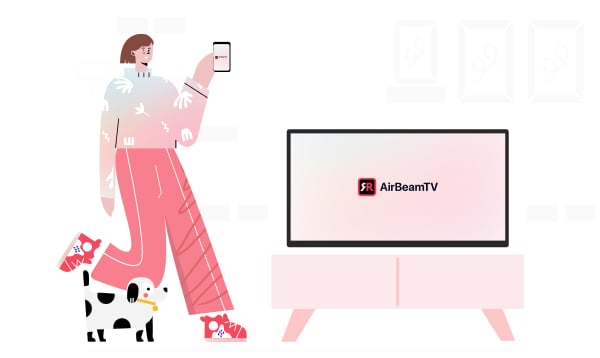
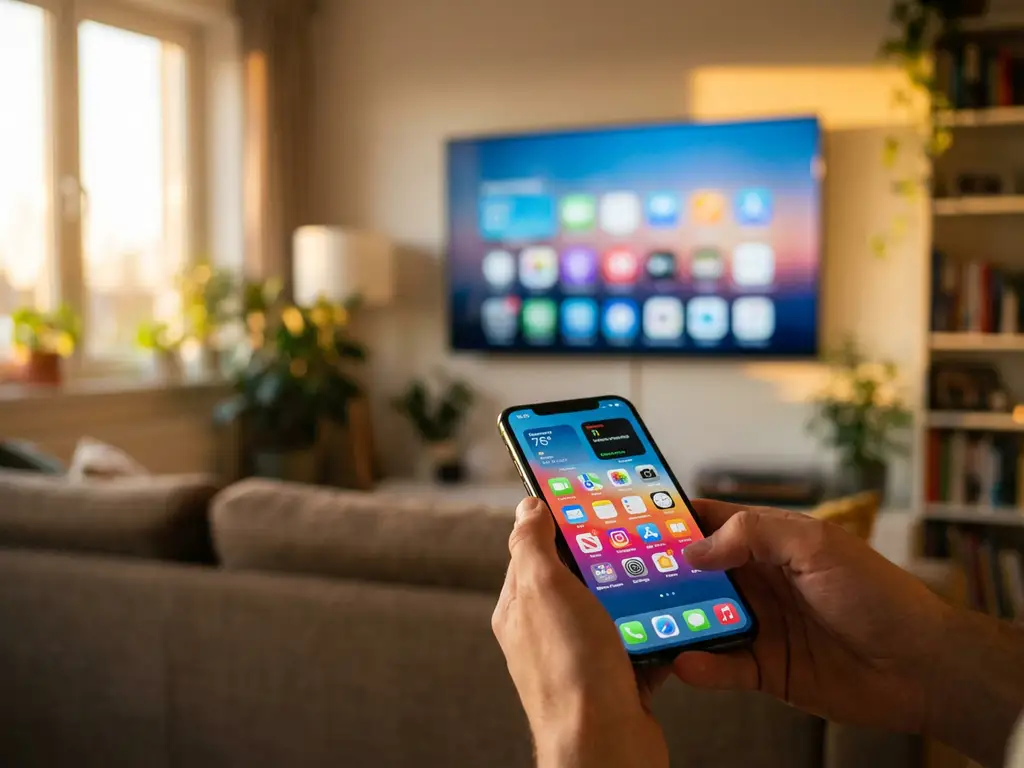
Android screen mirroring wirelessly displays your phone or tablet screen on your television via Wi-Fi, without requiring cables or additional hardware. This technology enables you to cast videos, photos, games, and apps directly to larger displays for an enhanced viewing experience. The process involves downloading a mirroring app, connecting to your Wi-Fi network, and selecting your target TV to begin wireless casting.
What exactly is Android screen mirroring, and how does it work?
Android screen mirroring is a wireless technology that duplicates your device’s display onto a television screen via your home Wi-Fi network. It works by establishing a direct connection between your Android phone or tablet and your smart TV, transmitting both video and audio signals without physical cables.
The technology operates through dedicated mirroring applications that create a wireless bridge between devices. When you activate screen mirroring, your Android device broadcasts its display signal across your Wi-Fi network, which your television receives and reproduces in real time. This creates an exact duplicate of whatever appears on your phone or tablet screen.
Setting up Android screen mirroring requires three simple steps: download a compatible mirroring app to your Android device, ensure both your phone and TV are connected to the same Wi-Fi network, and then select your television from the app’s device list. Once connected, your device screen instantly appears on the TV, allowing you to control everything from your handheld device while viewing it on the larger display.
Why should you use Android screen mirroring instead of cables?
Wireless Android screen mirroring eliminates the need for physical connections while providing complete freedom of movement around your room. Unlike traditional HDMI cables that tether you to your television, wireless mirroring lets you control content from anywhere within Wi-Fi range, making it perfect for presentations, entertainment, and social viewing.
Cable connections require specific ports and adapters that may not match your device or television. Many modern Android phones lack HDMI outputs, making wireless mirroring the most practical solution. You avoid purchasing additional hardware, dealing with compatibility issues, or managing tangled cables that limit where you can sit or stand.
The convenience factor becomes particularly apparent during group activities. Rather than huddling around a small phone screen to watch videos or share photos, wireless mirroring allows everyone to comfortably view content on the big screen. You maintain full control of your device while others enjoy optimal viewing angles and screen size.
Wireless mirroring also supports instant connectivity. There’s no need to plug and unplug cables when switching between devices or moving to different rooms. Multiple family members can quickly connect their Android devices to share content without any physical setup.
What entertainment benefits does Android screen mirroring provide?
Android screen mirroring transforms your television into an entertainment hub by enabling you to stream movies, videos, photos, and games directly from your mobile device. This creates a cinema-like experience for content that would otherwise be confined to your phone’s small screen, making it perfect for family movie nights or sharing holiday photos.
Gaming becomes significantly more engaging when mirrored to larger displays. Mobile games that rely on detailed graphics or multiplayer functionality benefit from increased screen real estate. Racing games, puzzle games, and action titles provide more immersive experiences when played on television screens, while maintaining responsive touch controls on your Android device.
Social entertainment reaches new levels with wireless mirroring. YouTube videos, TikTok content, and social media posts can be instantly shared with groups. Instead of passing your phone around or asking others to crowd around a small screen, everyone enjoys comfortable viewing while you maintain control of content selection and playback.
Photo and video sharing becomes effortless during gatherings. Holiday pictures, family videos, and special moments stored on your Android device can be displayed immediately on the big screen. This eliminates the need to transfer files to other devices or struggle with small-screen viewing during social occasions.
How can Android screen mirroring boost your productivity and work efficiency?
Professional presentations become more dynamic and flexible with Android screen mirroring technology. You can display documents, spreadsheets, and presentation slides directly from your device while maintaining mobility around the room, creating more engaging interactions with your audience than traditional laptop-based presentations.
Video conferencing applications benefit significantly from larger display capabilities. Microsoft Teams meetings, Zoom calls, and other professional video communications become more collaborative when mirrored to television screens. Participants can more easily see shared documents, facial expressions, and presentation materials, improving overall meeting effectiveness.
Document collaboration improves when multiple team members can view materials on large screens simultaneously. Spreadsheets, reports, and project plans become easier to review and discuss when displayed on televisions rather than small mobile screens. This facilitates better group decision-making and reduces eye strain during extended work sessions.
Remote work scenarios particularly benefit from Android screen mirroring. Home office setups can use existing televisions as secondary displays, expanding your workspace without purchasing additional monitors. This is especially valuable for reviewing detailed documents, managing multiple applications, or delivering virtual presentations from home.
Training and educational applications also become more effective through mirroring technology. Instructors can share educational content, demonstrate mobile applications, or display training materials to groups using their Android devices, creating more interactive and accessible learning environments. Pairing this with a universal remote control TV app further streamlines the experience by letting you manage your television directly from your device.
How AirBeamTV helps with Android screen mirroring
AirBeamTV provides the complete solution for seamless Android screen mirroring, offering reliable wireless casting technology that works with all major TV brands and Android devices. Our specialized mirroring app delivers:
- High-quality video and audio transmission with minimal lag for smooth entertainment and productivity experiences
- Universal compatibility with smart TVs from Samsung, LG, Sony, and other leading manufacturers
- One-click connection setup that requires no technical expertise or additional hardware
- Stable wireless performance that maintains consistent quality throughout your mirroring session
- Support for all Android versions and device types, from smartphones to tablets
Transform your entertainment and work productivity today by downloading AirBeamTV and experiencing the freedom of wireless Android screen mirroring on your television. Whether you’re interested in iPhone screen mirroring, Mac screen mirroring, or need additional support, our comprehensive knowledge base provides detailed guides and troubleshooting tips. For personalized assistance, feel free to contact us directly.